 Cloud BOT Docs
Execution Queues

Home > User guide > Execution Queues
Japanese may be displayed on some pages.
Overview
The Execution Queues is available on paid plans starting with the Basic plan.
*You can create, edit, and delete queues on any plan.
About execution queues
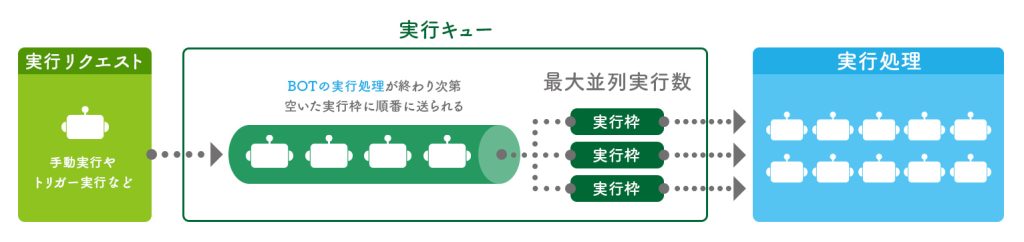
This mechanism temporarily queues and manages BOT execution requests, executing them in order.
When a BOT execution request is received, it is added to the execution queue and processed in the order in which requests were received.
The execution queue manages the number of execution slots available at any given time, and sends out BOTs for execution in parallel up to the maximum number of concurrent executions.
When a BOT execution completes, the execution slot is released, and the next request in the queue is automatically executed.
実行キュー一覧
グローバルメニューの「実行キュー」から遷移します。
登録済みのキューが一覧に表示されます。
キュー名、説明、最大並列実行数、実行中件数、待機中件数を確認することができます。
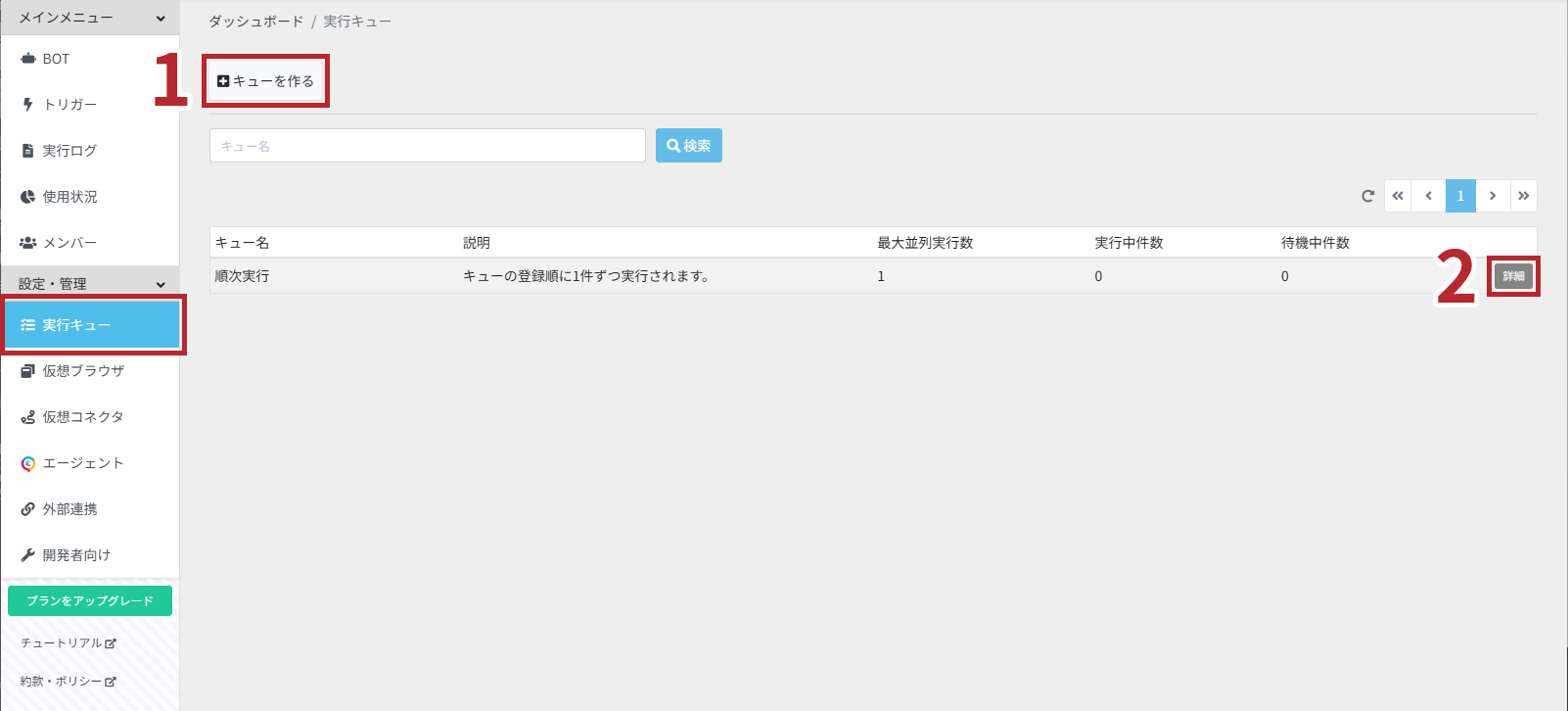
この画面では以下の機能が使えます。
実行キューを作る
キュー一覧の「キューを作る」ボタンを押すことで、キューを作成できます。
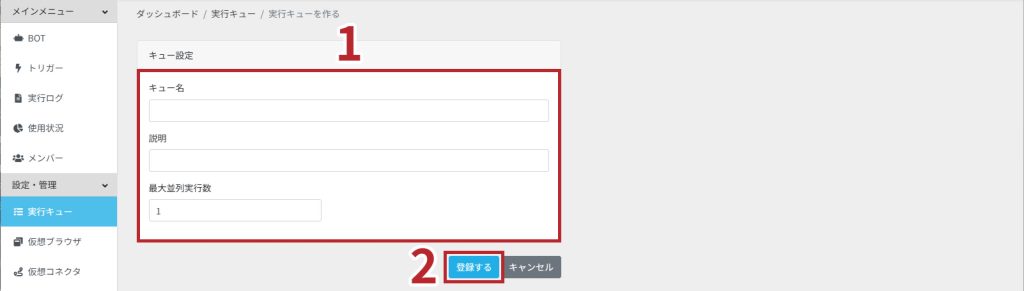
この画面では以下の機能が使えます。
- キュー設定
- 設定登録
キュー設定
キュー名
キューの名前を設定します。
説明
実行キューの内容や用途などを自由に記載できます。
最大並列実行数
キューから同時に実行するBOTの上限を設定します。
キュー詳細
キュー一覧の「キューを作る」ボタンを押すことで、キューを作成できます。
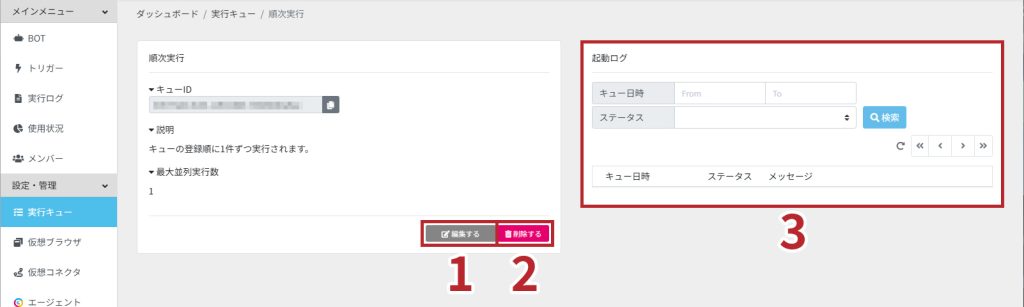
この画面では以下の機能が使えます。
キュー編集
キューを編集できます。編集方法は実行キュー登録をご覧ください。
キュー削除
キューを削除します。
- 「削除する」ボタンを押します。

- 「OK」を押します。削除は取り消す事ができないのでご注意ください。
起動ログ確認
実行ログの詳細を確認できます。実行ログに関しては実行ログ詳細をご参照ください。
実行キューを使う
作成した実行キューをBOTの実行に指定できます。
手動実行
BOTの実行ごとに任意の実行キューを指定します。
※手動実行の実況キュー設定については「BOT」をご覧ください。
トリガー実行
HTTPS受信トリガーとメール受信トリガーの設定において、任意の実行キューを指定します。
※HTTPS受信トリガー実行の実況キュー設定については「HTTPS受信」をご覧ください。
※メール受信トリガー実行の実況キュー設定については「メール受信」をご覧ください。